


6Sense
4.3264.00 Reviews
App Specs
- Version
- 1.7.4
- Updated On
- License
- Free
- Downloads
- 500,000+
- Developer
- Mechideas
- Categories
- Productivity
- Platform
- Android
Screenshots
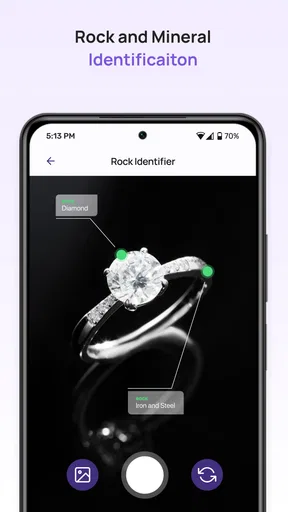
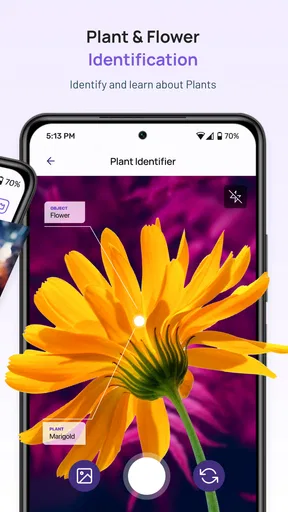
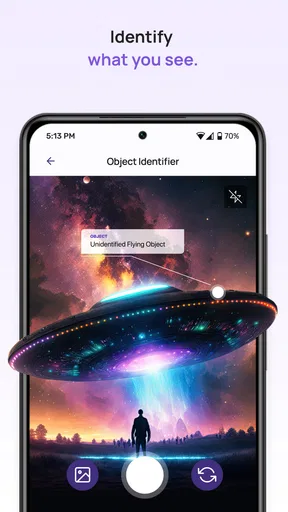
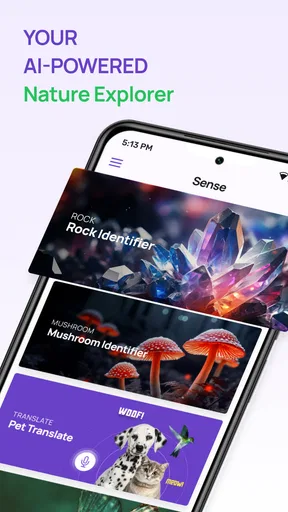
 Analysis by AppCompare
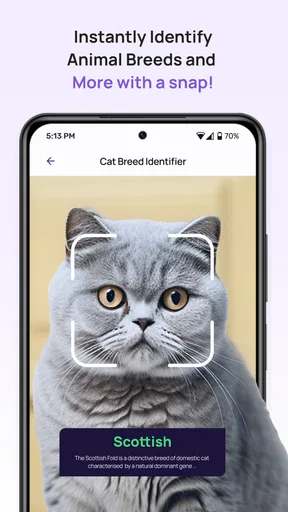
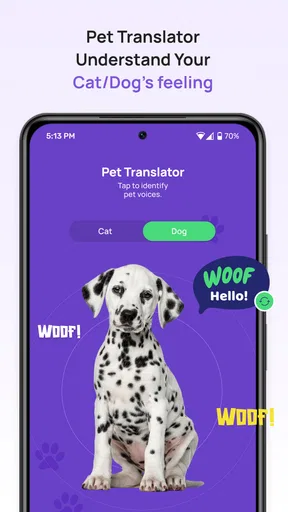
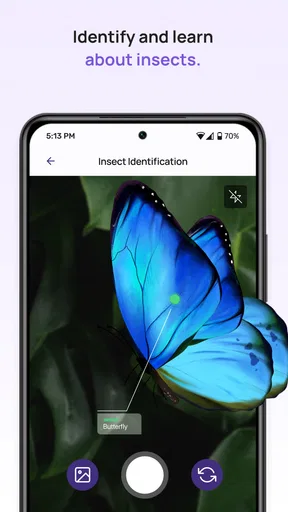
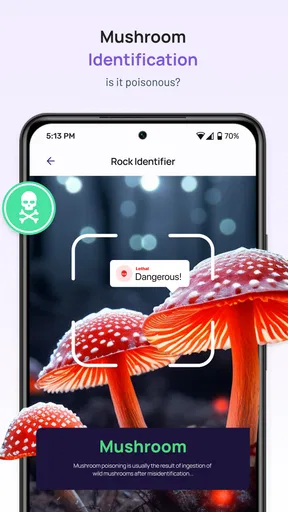
I use 6Sense with a very different expectation from the one suggested by the published review below: it is presented as an app for identifying pets and translating their signals, not as a business forecasting dashboard. That distinction matters before you install it. I would approach it as a tool for interpreting animal behavior, not as a way to know exactly what a pet is thinking or to replace careful observation, training, or veterinary advice.
What I would use it for at home
The most practical way to try a pet translator is to treat it as a prompt for paying closer attention. If my dog is restless after a walk, for example, I would first consider ordinary explanations such as needing water, feeling unsettled, or wanting to go outside again. I might then use the app’s identification and translation idea as another point of comparison, rather than letting a generated interpretation settle the question. That small change in approach keeps the experience curious without turning it into a diagnosis.
It may suit people who enjoy noticing patterns in a companion animal’s sounds and behavior, especially new pet owners who are still learning what is normal for their cat or dog. I would also see it as a conversation starter for a household: different family members can compare what they noticed and whether an interpretation matches the animal’s body language. The useful outcome is often not a definitive “translation,” but a reason to observe the pet more carefully.
Readability and navigation in everyday use
A pet-focused tool is most helpful when I can understand its result without having to decode technical language. For a person who finds dense menus tiring, the central test is whether the main task is easy to locate and whether results are presented in plain, readable wording. I would keep a first session simple: open the app, identify what it asks me to do, and try one familiar situation rather than exploring every option at once.
That matters because an interpretation is only useful if it can be connected to what is happening in front of me. A short, clear result is easier to compare with posture, movement, and the surrounding setting than a long explanation that sounds certain but is difficult to act on. If a screen is hard to read, I would avoid making decisions based on a quick glance; I would pause, review it in a comfortable setting, and judge the animal’s observable behavior separately.
Motor and sensory considerations
Using a pet translator may involve handling a phone while an animal is moving, vocalizing, or seeking attention. That is an awkward combination for anyone with limited dexterity, tremors, pain, or difficulty switching attention quickly. I would prepare the phone before approaching the pet, keep it within reach, and avoid trying to operate it while restraining or calming an animal. The animal’s comfort comes first, and no app interaction is worth making a stressful moment worse.
Sound-related tools also deserve a thoughtful setting. A quiet room can make it easier to notice a pet’s vocalizations and to concentrate on an interpretation, while a noisy household may make the experience harder to follow. Someone sensitive to sound, or someone who needs to keep the phone muted, should consider whether the app’s workflow is comfortable for them before relying on it. I would not assume that any single result works equally well in a busy room, outdoors, or during an animal’s excited behavior.
Worth Reading Before You Choose

EA SPORTS FC Mobile 26 Is a Bigger Football Game, but It Takes Time

Flipboard Shows What News Apps Must Do Beyond the Feed

Switching to Android Auto Means Rethinking Your Driving Routine

Google Calendar Makes a Crowded Week Easier to Manage

Ludo King Makes the Most of the Minutes Between Plans

Baby Panda World Brings Quick Play to Modern Phones, but Its Game Library Feels Busy
When context changes the answer
The same sound or movement can mean different things in different situations. A cat vocalizing near a food bowl is not necessarily communicating the same thing as a cat making a noise during a carrier trip. I would note what happened immediately before and after the behavior, then compare that context with any app interpretation. A simple observation habit—time, setting, sound, and visible body language—can be more valuable than collecting isolated translations.
For a realistic routine, imagine hearing a dog bark while you are preparing to leave home. Rather than treating an interpretation as proof of separation anxiety or a request, I would check whether the dog has had a chance to go outside, whether something has changed in the environment, and whether the barking is unusual. The app can be one part of that check, but repeated behavior over time is a better reason to discuss a concern with a qualified professional.
It is also worth separating everyday curiosity from health questions. A sudden change in vocalization, appetite, movement, or temperament deserves attention on its own terms. I would not use a translator to decide that a pet is in pain, to dismiss a worrying symptom, or to postpone professional help. The app’s role is interpretive and exploratory; animal welfare decisions need stronger evidence.
How it differs from familiar alternatives
Compared with a notes app, 6Sense is meant to offer an interpretation rather than simply store what I observed. Compared with general pet-care guides, it focuses on identifying and translating signals instead of providing a broad reference for feeding, exercise, or training. Those approaches can work well together: I can use a guide for reliable care basics, keep notes about recurring behavior, and consult an interpretation tool as an extra perspective.
The trade-off is that a familiar checklist can be more dependable for routine decisions. A record of when a behavior occurs lets me spot patterns without pretending that a short interaction reveals an animal’s exact intention. If I need help with training, medical symptoms, or a persistent behavior problem, a veterinarian or qualified trainer is a better choice than any translator app. I would skip 6Sense if I wanted a guaranteed explanation, instant expert advice, or a substitute for learning an animal’s individual cues.
What to keep in mind before relying on it
My main caution is confidence. A polished interpretation can feel more authoritative than the evidence behind it, particularly when it happens to fit what I already suspect. I would ask whether the result matches several visible clues, not just one sound, and whether the same pattern appears on other occasions. If it does not fit, I would trust the animal’s broader behavior and my own careful observations over a convenient label.
Another useful habit is to try the app when the pet is calm, not only during a confusing or urgent moment. That gives me a baseline for how I use it and makes it easier to tell whether the process itself is clear. I would also avoid repeatedly prompting an animal to make a sound just to obtain another interpretation. The app should fit around normal care, not encourage behavior that unsettles the pet.
For anyone wondering whether this is suitable for a household with different abilities, I would judge it by the actual interaction on their device and in their environment. The idea may be appealing to someone who finds it easier to consult a phone than interpret every sound unaided, but that does not guarantee the interface will work for every person. A family member can help with phone handling while the person who knows the pet best contributes context; that shared approach is often more sensible than asking one screen to do all the interpreting.
6Sense is a free productivity app from Mechideas, and its audience figures suggest that plenty of people have tried it: it has an average rating of 4.3 from around 11,000 ratings, with more than 500,000 installs. It is rated for Everyone, and the current version is 1.7.4. There are in-app purchases, so I would check the options shown in the app before assuming every part of the experience is included at no cost. For an app built around interpretation, I would start with the free experience and decide whether it adds enough to my routine before spending anything.
My experience with 6Sense
Hey there! So, I recently got my hands on 6Sense, and let me tell you, this app is quite the game-changer. If you're into staying ahead of the curve and keeping tabs on trends, this one might just be up your alley. Let me walk you through my experience with it.
The Initial Setup
First off, downloading 6Sense was a breeze. A few taps and it was ready to go. The interface is sleek and inviting, which is always a plus in my book. You won't find yourself lost in a sea of buttons and confusing menus. Everything feels intuitive, almost like the app knows what you’re thinking—kind of fitting, right?
Once you’re in, setting up your profile is straightforward. You can customize it to fit your interests, which is crucial for an app that's all about delivering personalized insights. They really nail it with the user onboarding process.
Diving into Features
So, what does 6Sense actually do? At its core, it’s a predictive analytics tool designed to give you insights into upcoming trends and shifts. Whether you're in marketing, sales, or just a curious soul, the app provides a dashboard filled with data-driven predictions.
One of the standout features for me was the personalized alerts. You can set them up to notify you about specific trends or topics you care about. It’s like having a personal assistant who whispers insights into your ear whenever something noteworthy pops up.
The analytics dashboard is another highlight. It’s packed with charts, graphs, and data points that are surprisingly easy to digest. Even if you're not a numbers person, the way they visualize data makes everything clear and actionable.
Real-World Applications
Now, you might be wondering, "How can I use this in real life?" Well, if you're in business, 6Sense can be a powerful tool for decision-making. Imagine knowing the next big trend before your competitors do. It’s like having a crystal ball but way more reliable.
For marketers, the app offers insights into consumer behavior, helping you tailor your strategies to meet their needs before they even realize what they want. Sales teams can also benefit by identifying prospects who are most likely to convert, saving time and resources.
Room for Improvement
While 6Sense is impressive, it’s not without its quirks. Sometimes, the data refresh rate can be a tad slow, leaving you waiting for the latest insights. It’s not a deal-breaker, but something to keep in mind if you need real-time updates.
Additionally, while the app is user-friendly, diving into the deeper analytics requires a bit of a learning curve. If you're not familiar with data analysis, you might need to spend some time getting used to the more advanced features.
Final Thoughts
Overall, 6Sense is a robust app that offers a unique blend of predictive analytics and user-friendly design. Whether you're a business professional looking to gain a competitive edge or just someone fascinated by trends, this app could be a valuable addition to your toolkit.
Just remember, it’s not about predicting the future with absolute certainty, but rather, getting a sense of where things are headed. And with 6Sense, you might just find yourself a step ahead.
Pros
- Intuitive user interface design.
- Real-time insights and analytics.
- Seamless integration with CRM tools.
- Highly customizable settings.
- Robust data privacy controls.
Cons
- Requires constant internet connection.
- Occasional syncing delays.
- Steep learning curve for new users.
- Limited offline functionality.
- Can be resource-intensive on devices.
FAQs for 6Sense
What is 6Sense and what does it do?
6Sense is a cutting-edge app designed to enhance user productivity and decision-making through predictive analytics and AI-driven insights. It helps businesses and individuals anticipate future trends and make informed decisions by analyzing data patterns. With its intuitive interface, 6Sense offers a seamless experience for users looking to leverage technology for strategic planning.
Is 6Sense compatible with both Android and iOS devices?
Yes, 6Sense is available for both Android and iOS platforms. It has been optimized to run smoothly on various devices, ensuring that users can access its features and benefits regardless of their preferred operating system. The app is regularly updated to maintain compatibility with the latest OS versions.
How secure is my data with 6Sense?
6Sense prioritizes user privacy and data security by implementing robust encryption protocols and secure data storage practices. The app ensures that all user information is protected against unauthorized access. Additionally, 6Sense complies with industry standards and regulations to provide users with peace of mind regarding their data security.
Are there any subscription fees or in-app purchases with 6Sense?
6Sense offers a variety of subscription plans to cater to different user needs, including both free and premium options. The free version provides access to basic features, while premium subscriptions unlock advanced functionalities and analytics tools. Users can choose a plan based on their specific requirements and budget.
What kind of support can I expect after downloading 6Sense?
6Sense provides comprehensive customer support to assist users with any issues or questions. Support is available through various channels, including email, live chat, and an extensive knowledge base. Users can expect prompt and helpful responses from the support team, ensuring a smooth and satisfying experience with the app.


